
Screenshots
App details
- Updated
- Jun 5, 2012
- Requires
- Skype
- Language
- English,German
- Developer
- Infonautics
- Category
- Mobile
SoftPas in:
This product is also available in the following languages:
About DialDirectly for Skype
Download DialDirectly for Skype – Quick Calls, Minimalist Tool, Easy Installation
Overview
DialDirectly for Skype is a utility mobile app designed to streamline the process of making phone calls through Skype. Its primary purpose is to enable users to initiate calls to any phone number with minimal effort, simply by copying the number from another application and triggering a predefined action. This functionality addresses a common pain point for Skype users who frequently need to place calls from various sources—such as emails, messages, or web pages—without switching between apps or manually entering numbers.
The app targets individuals who rely heavily on Skype for personal or professional communication, particularly those who value efficiency and speed in their daily workflows. It is especially beneficial for remote workers, freelancers, and business professionals who manage multiple conversations across different platforms. By integrating directly with the clipboard and calling system, DialDirectly enhances productivity without requiring complex setup or changes to existing configurations.
Although the developer did not provide additional background information, the app’s long-standing presence since its release on June 5, 2012, suggests a stable and reliable tool within the Skype ecosystem. Its minimal footprint and lack of system modifications indicate a focus on user privacy and system integrity. Real-world use cases include quick follow-ups during video meetings, rapid contact with clients from a note, or instant dialing from a shared document. In the broader app landscape, DialDirectly serves as a niche but effective bridge between communication tools and everyday usability.
Key Features & Functionality
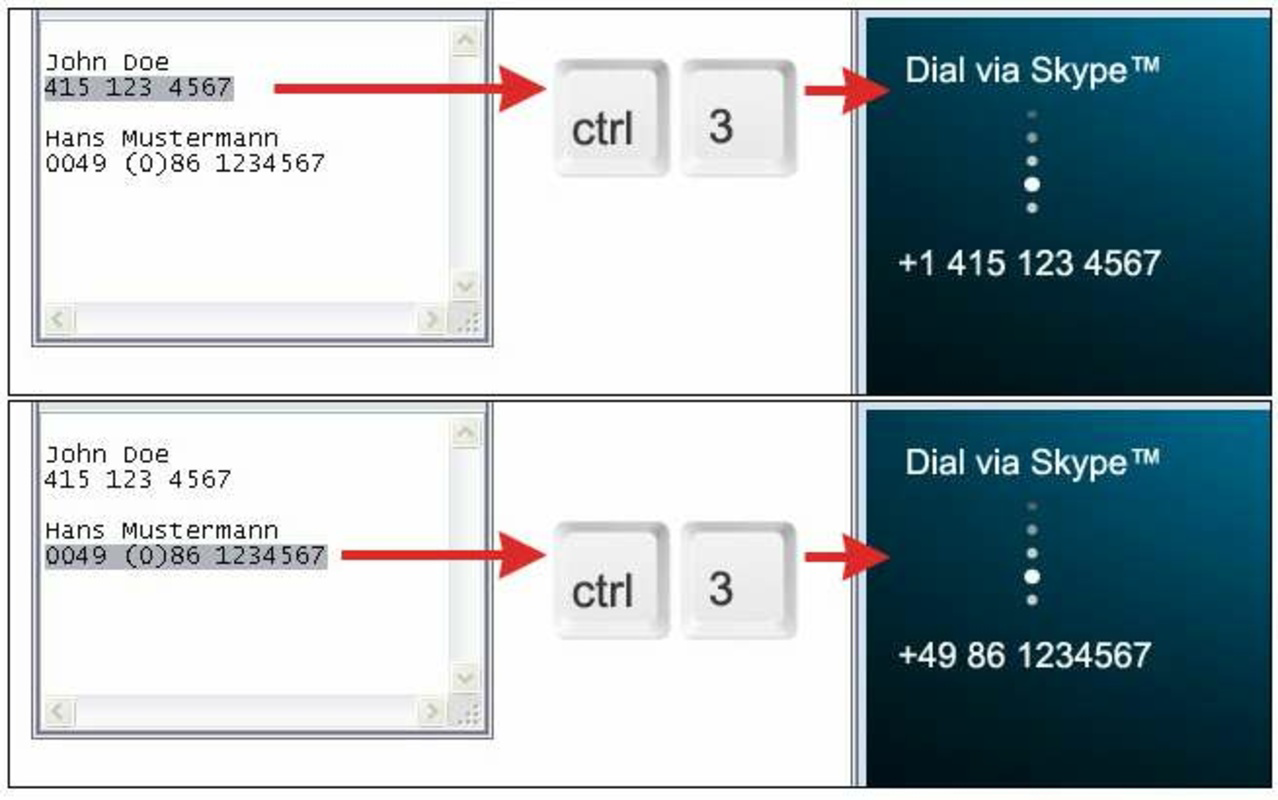
- Effortless Calling: The core function allows users to copy a phone number from any app—such as a browser, email client, or messaging platform—and instantly initiate a call through Skype by pressing a designated key. This eliminates the need to manually input numbers or switch between apps.
- Minimalist Interface: The app features a clean, uncluttered design focused solely on functionality. There are no unnecessary menus or distractions, making it accessible even to users with limited technical experience.
- No System Modifications: DialDirectly operates without altering system settings, Skype configurations, or requiring root access. This ensures compatibility and safety across a wide range of devices.
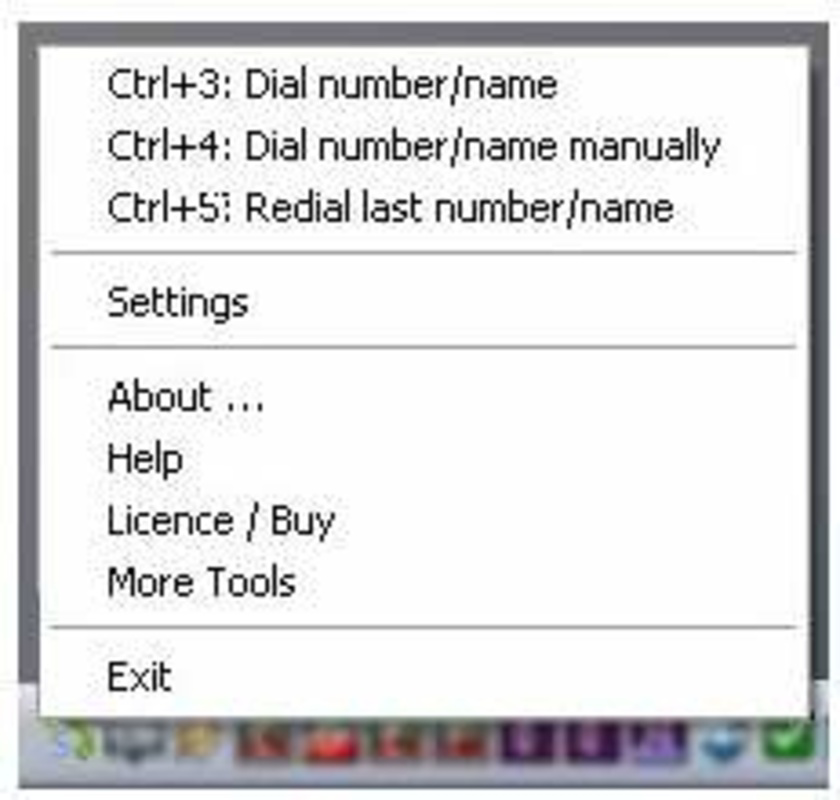
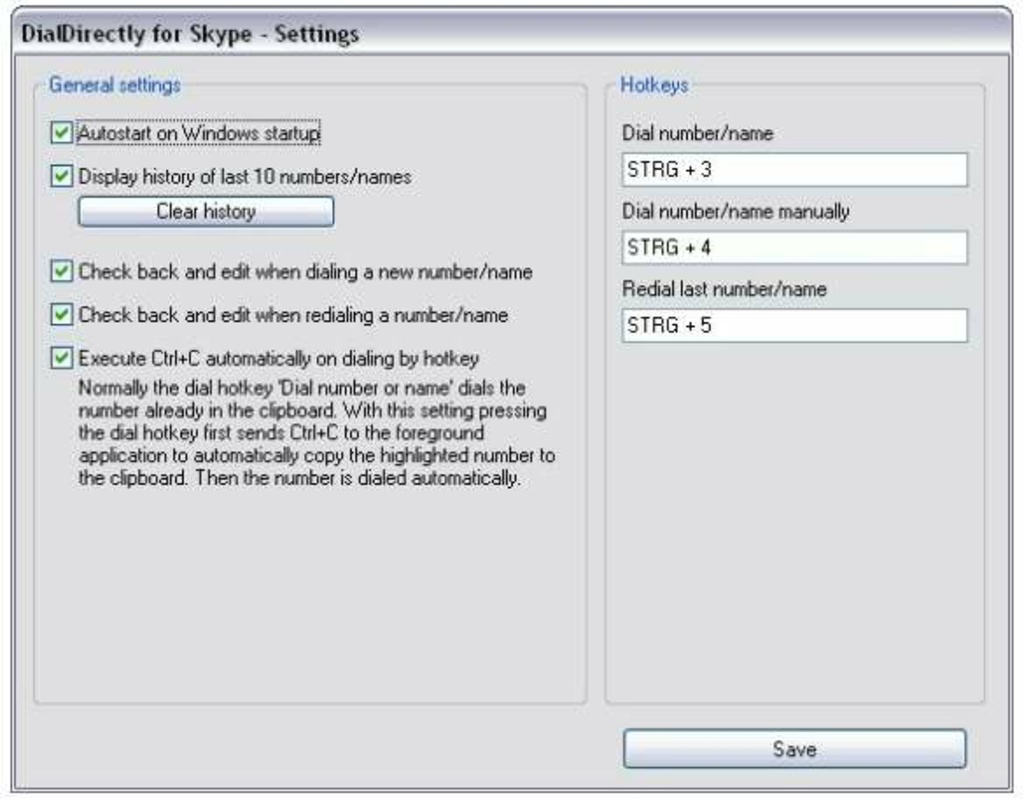
- Personalization Options: Users can customize key shortcuts to match their preferred workflow, enabling faster access based on individual habits and usage patterns.
- Easy Installation and Uninstallation: The setup process is quick and straightforward, with no complex steps. When no longer needed, the app can be removed without leaving residual files or system traces.
For example, a user reading a contact’s number in a PDF document can copy it, press the assigned key, and immediately place the call through Skype. This seamless integration reduces friction in communication and supports a more fluid work experience. The app’s focus on simplicity and reliability makes it a practical choice for users seeking a no-fuss calling enhancement.
Interface, UX & Performance
The user interface of DialDirectly for Skype is intentionally minimal, prioritizing function over form. The layout consists of a single, central activation button and a small status indicator, ensuring that users can initiate calls with a single tap. Navigation is straightforward: after installation, the app runs in the background, listening for clipboard changes and responding to the configured shortcut key.
Although the developer did not list formal performance metrics, the app’s lightweight design suggests it operates efficiently across various device categories, including entry-level and mid-range smartphones. Responsiveness is likely optimized for quick execution—critical for a tool that relies on real-time clipboard monitoring. Stability appears to be a key focus, given the app’s longevity since 2012 and its reputation for working without disruptions.
Users can expect smooth operation during regular use, with minimal impact on battery life or memory consumption. The app does not require constant background activity, which helps preserve device performance. Overall, the user experience is designed to be invisible—users interact with it only when needed, and it performs its task without delay or errors.
Platform Compatibility & Technical Requirements
DialDirectly for Skype is available for Android, supporting a range of devices running the specified operating system. The app’s file size is 1.2 MB, indicating a lightweight footprint suitable for devices with limited storage. The software version is 1.0, and it was released on June 5, 2012.
The developer did not specify minimum OS requirements or compatibility details beyond the platform. As such, users should verify whether their device meets the necessary conditions for installation. While the app has been functional for over a decade, compatibility with newer Android versions cannot be confirmed without additional information. It is recommended to check device specifications before attempting to install.
Pros and Cons
Pros
- Simple, no-frills interface ideal for quick use
- Efficient calling process via clipboard integration
- Does not require system modifications or root access
- Lightweight size with minimal resource usage
- Easy to install and uninstall without traces
Cons
- Outdated version (1.0) with no recent updates
- Developer did not disclose compatibility with modern Android versions
- Limited customization beyond key shortcuts
- No official support or documentation available
- Long-term maintenance and security updates not confirmed
FAQ
Is DialDirectly for Skype safe to install?
Yes, the app does not require system permissions or modifications. It operates within the standard Android sandbox, minimizing security risks.
Can I use DialDirectly for Skype on iOS?
The developer did not specify iOS compatibility. The app is currently available only for Android.
Do I need to root my device to use this app?
No, DialDirectly for Skype does not require root access or system-level changes.
How do I set up the shortcut key?
After installation, users can configure the shortcut key within the app’s settings. Specific instructions were not provided by the developer.
Is the app still being updated?
The latest version is 1.0, released in 2012. No recent updates have been published.
Final Thoughts + CTA
DialDirectly for Skype remains a unique solution for users seeking a frictionless way to place calls through Skype. While its interface and functionality are simple, they are precisely tailored to a specific need: fast, reliable calling from any source. Its lightweight design and lack of system impact make it a low-risk addition to any Android device.
However, the absence of recent updates and unclear compatibility with modern Android versions raises concerns about long-term viability. Users should proceed with caution, especially on newer devices. Despite these limitations, the app continues to serve its core purpose effectively for those who value speed and simplicity.
For individuals who frequently call from copied numbers and prefer a no-nonsense tool, DialDirectly offers a dependable, secure way to enhance their Skype experience. Download DialDirectly for Skype now.
Guides & Tutorials
How to install DialDirectly for Skype
- Click the Download button above.
- Once redirected, accept the terms and click Install.
- Wait for the DialDirectly for Skype download to finish on your device.
How to use DialDirectly for Skype
This software is primarily used for its core features described above. Open the app after installation to explore its capabilities.
User Reviews
No reviews yet. Be the first to share your experience.
You may also like
more
Que no te pillen¡
About !Que no te pillen¡Reviewed by Jason A. BilbreyShow MoreShow Less

3D Combat Zone
About 3D Combat ZoneOriginally released in 1983, 3D Combat Zone immerses players...

666: El día del portal
About 666: El día del portalOn June 6, 2006, Agent P. Stone uncovers a sinister...

80 in 1 Best Flash games
About 80 in 1 Best Flash games 80 in 1 Best Flash games is a collection of 80 fl...

ABYSS SEEKERーーWhat Do You See Deep in The Abyss
About ABYSS SEEKERーーWhat Do You See Deep in The AbyssIn ABYSS SEEKER, players...

ACA NEOGEO THE KING OF FIGHTERS 2002 for Windows
About ACA NEOGEO THE KING OF FIGHTERS 2002 for WindowsTHE KING OF FIGHTERS 2002,...